MENU
TW | TWD

TW | TWD
-
- All Pipettes, Dispensers & Automated Liquid Handlers
- All Micropipettes
- Mechanical Pipettes
- Electronic Pipettes
- Multi-Channel Pipettes
- Positive Displacement Pipettes & Dispensers
- Bottle-Top Dispensers
- Pipette Controllers
- Dispenser & Pipette Accessories
- Automated Pipetting
- Automation Consumables
- Automation Accessories
- Liquid Handler & Pipette Services
Sorry, we couldn't find anything on our website containing your search term.
You are about to leave this site.
Please be aware that your current cart is not saved yet and cannot be restored on the new site nor when you come back. If you want to save your cart please login in into your account.
Sorry, we couldn't find anything on our website containing your search term.
- Service & Support
- Ordering
- Website User Guide
- Website User Guide - Account Management
Website User Guide - Account Management
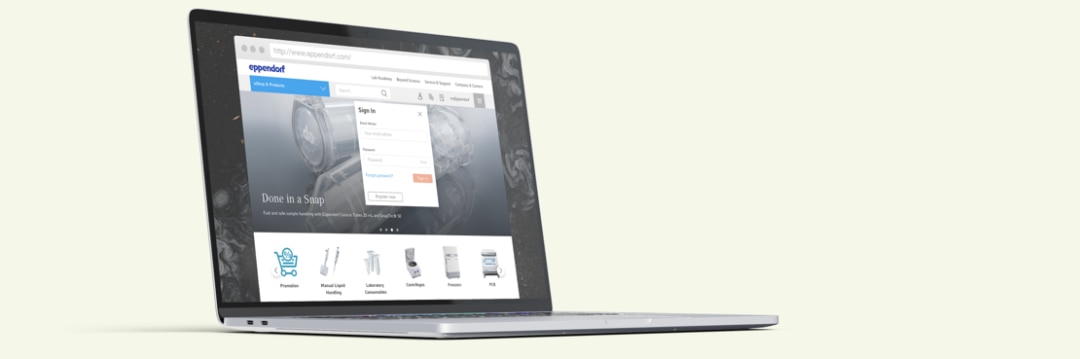
Create account
Log in
Change personal details
Change addresses
How to Create an Account
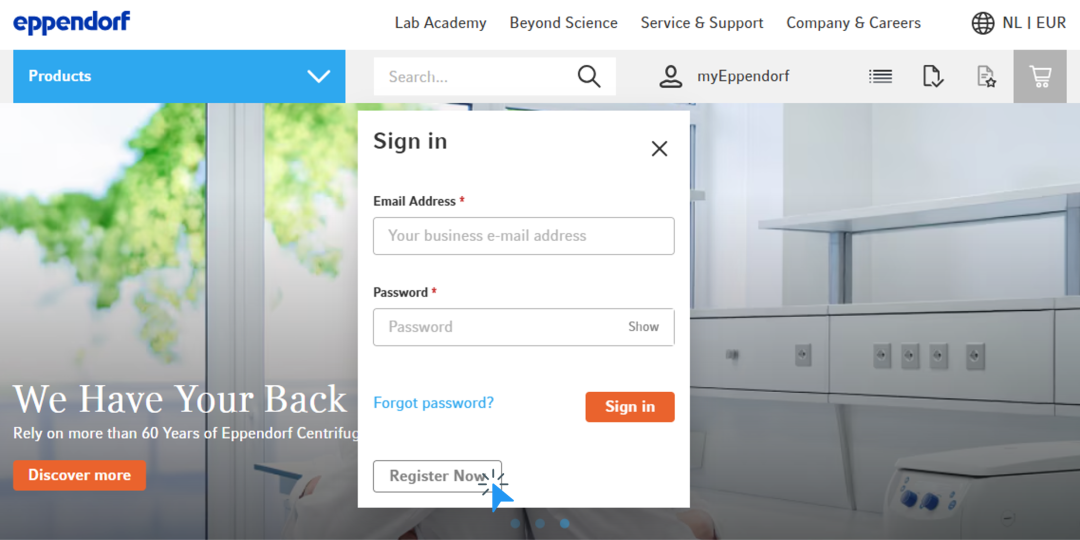
1. Click the icon in the top menu
2. Click “Register Now”
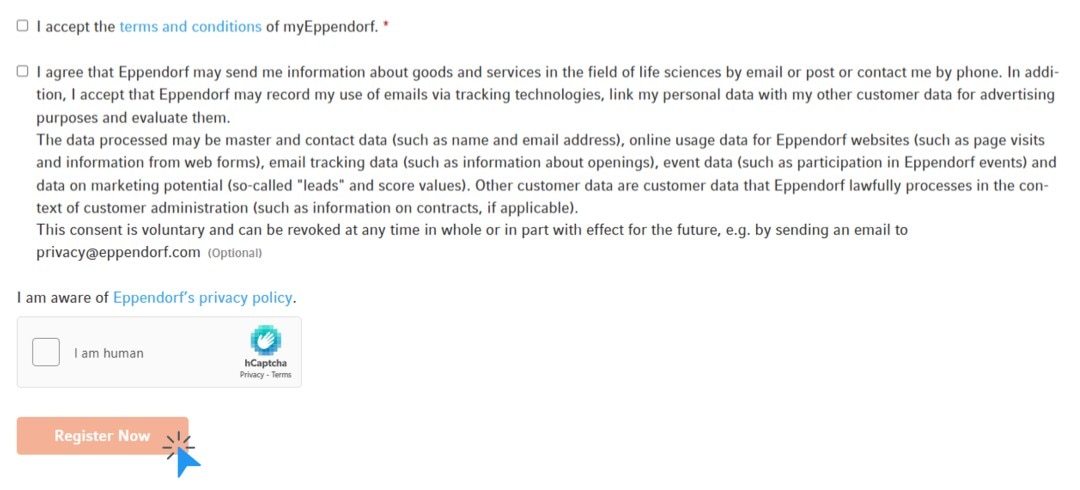
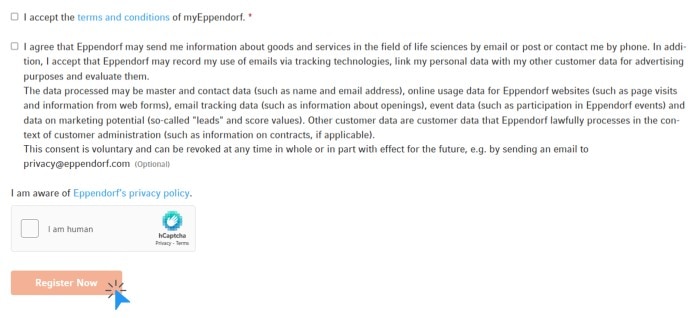
3. Fill out the form and click “Register Now”
4. Activate your new account by clicking the link in the confirmation email you received
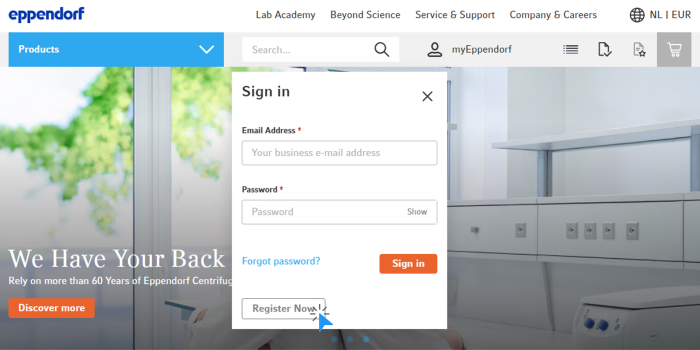
2. Click “Register Now”
3. Fill out the form and click “Register Now”
4. Activate your new account by clicking the link in the confirmation email you received
OUR TIP:
If you can't find the confirmation email in your inbox, check your SPAM folder.
If you can't find the confirmation email in your inbox, check your SPAM folder.


How to Log in
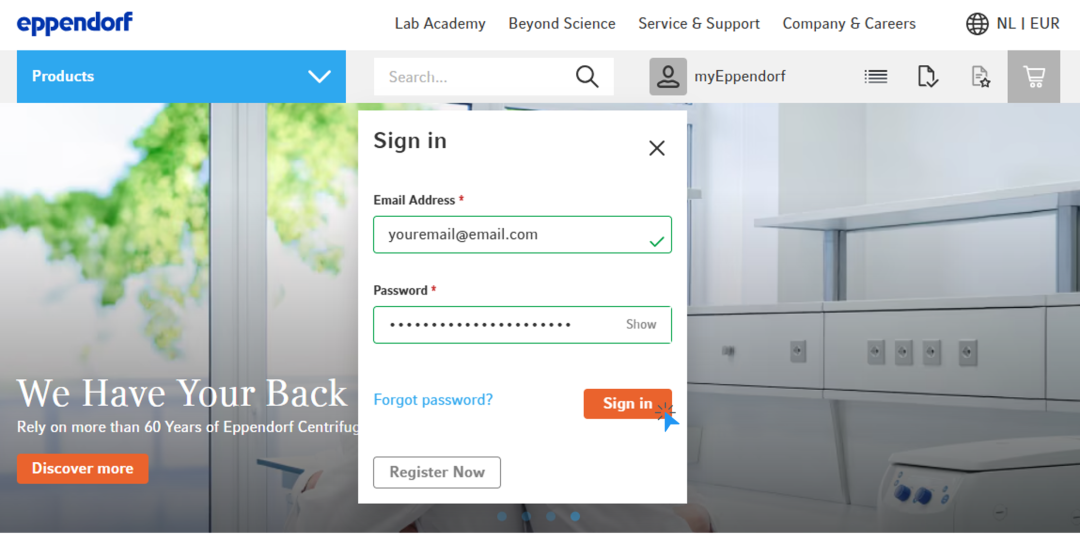
1. Click the icon at the top menu
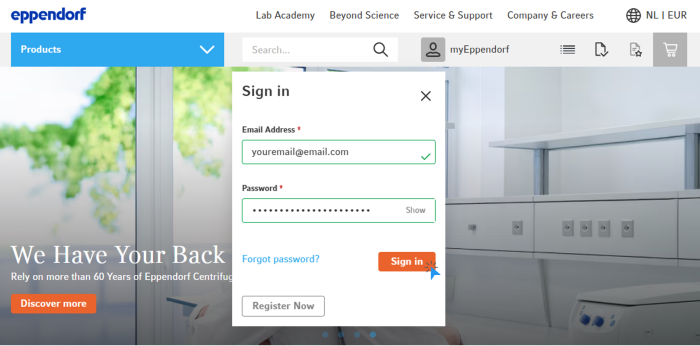
2. Enter your email address* and your password
3. Click “Sign in“
2. Enter your email address* and your password
3. Click “Sign in“
*PLEASE NOTE:
To log in, you need your email address and a password
To log in, you need your email address and a password


How to Change Your Personal Details
1. Log in to your account
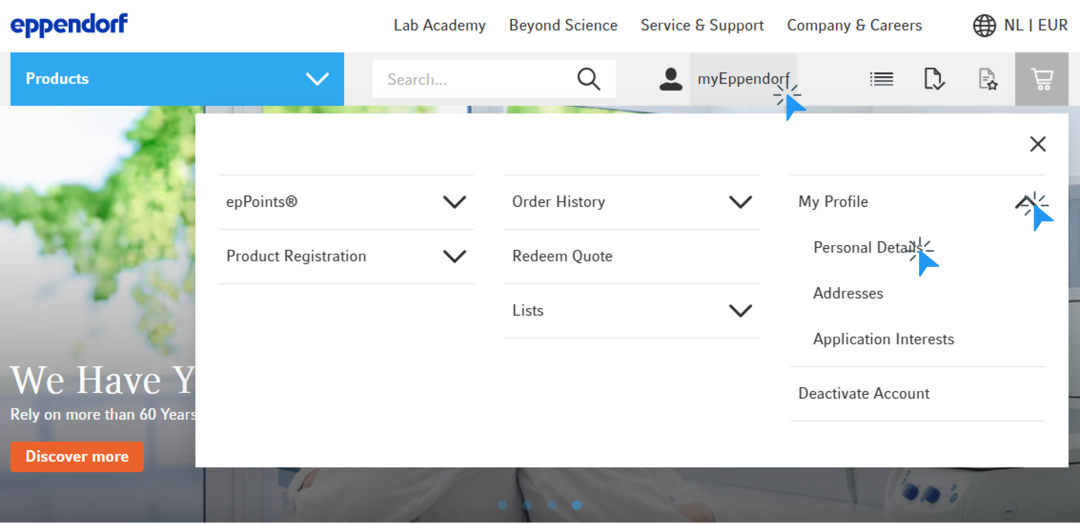
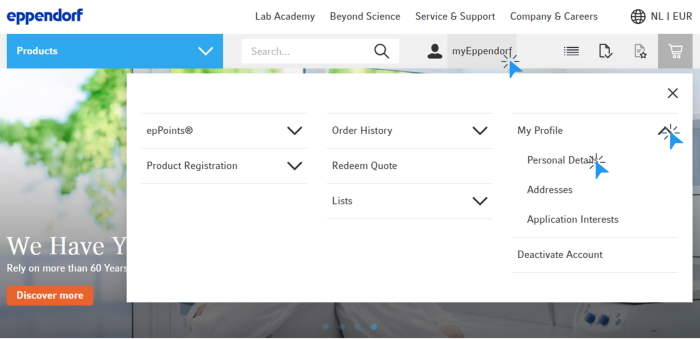
2. Click on “myEppendorf” in the top menu
3. Click on “My Profile“ and then in the submenu on “Personal Details”
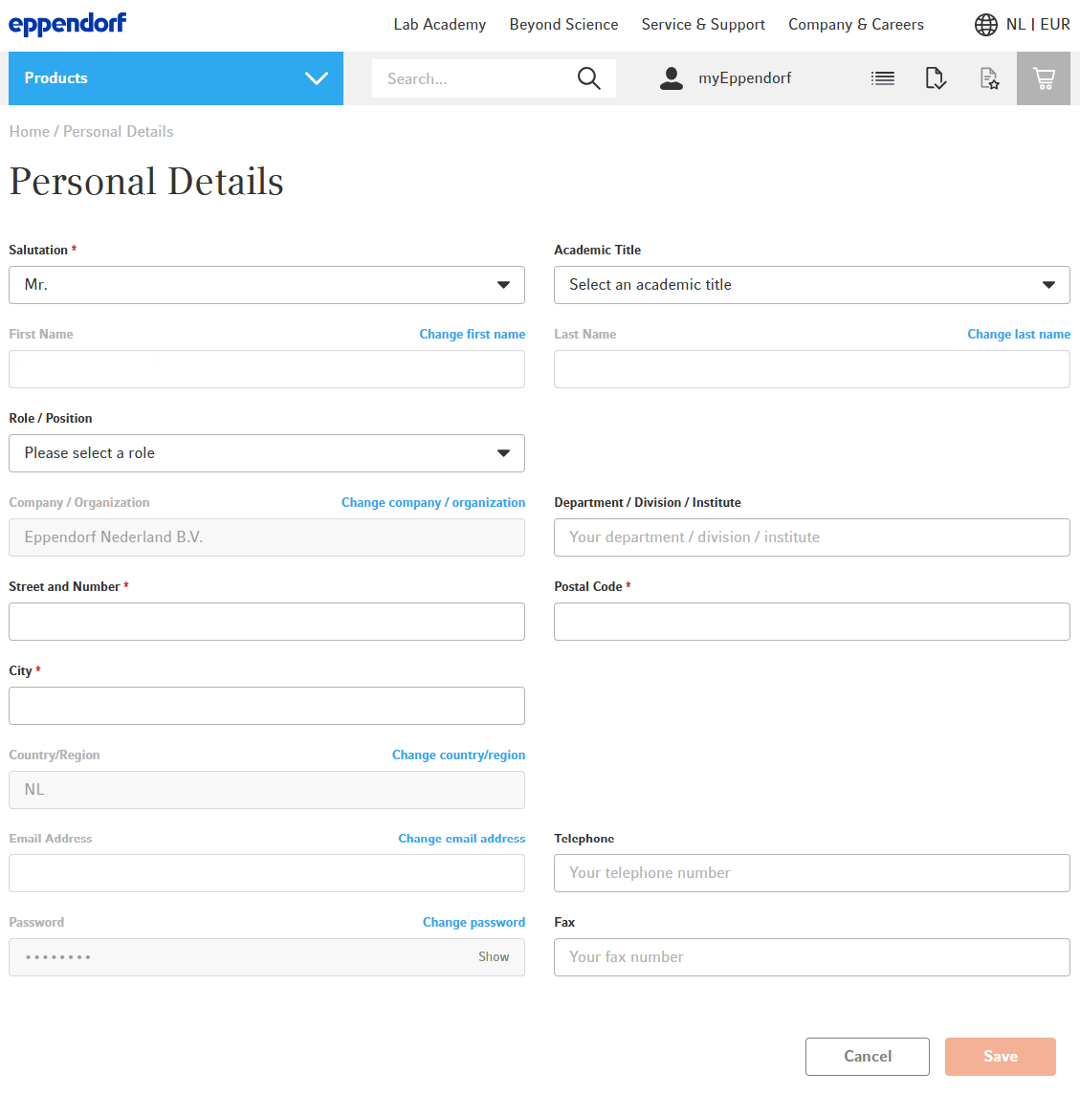
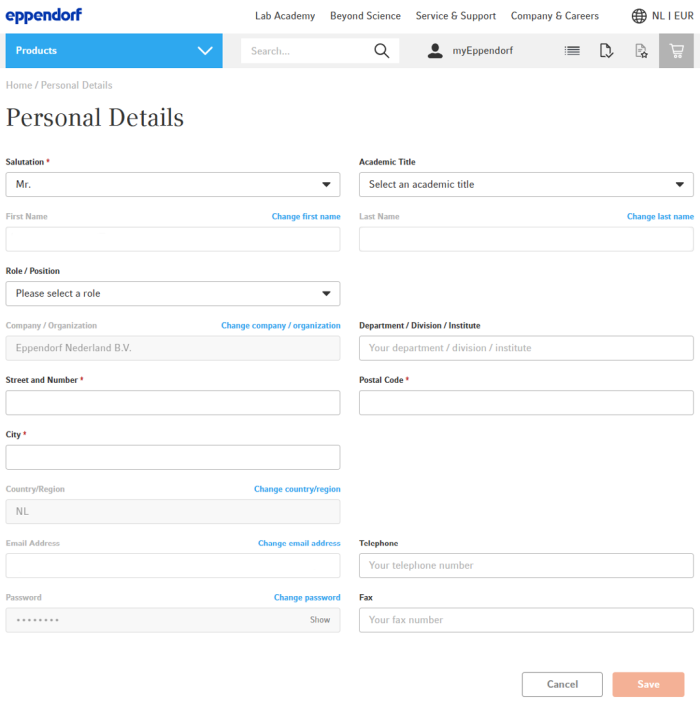
4. You will see an overview of your personal details and have the option to change them
2. Click on “myEppendorf” in the top menu
3. Click on “My Profile“ and then in the submenu on “Personal Details”
4. You will see an overview of your personal details and have the option to change them
How to Change Your Addresses
1. Log in to your account
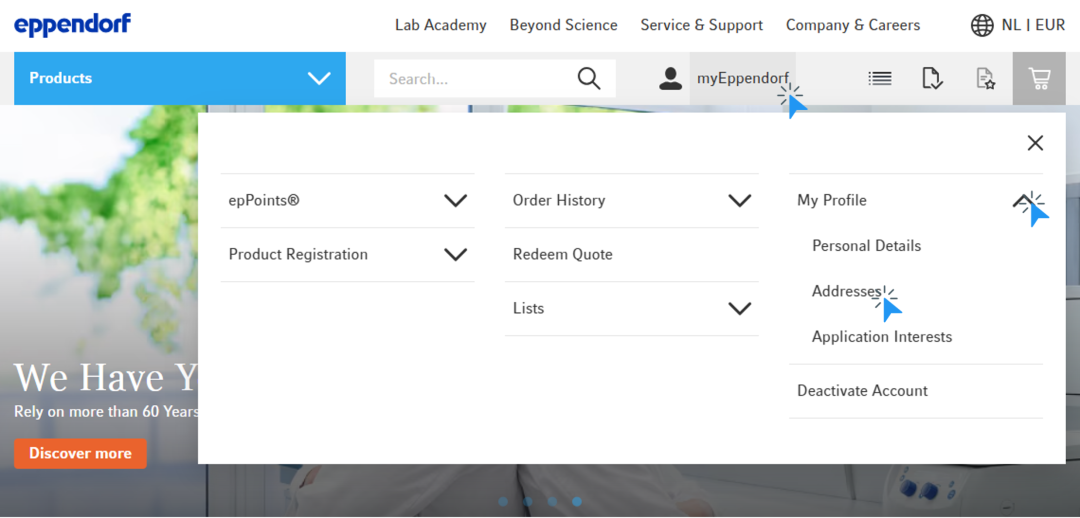
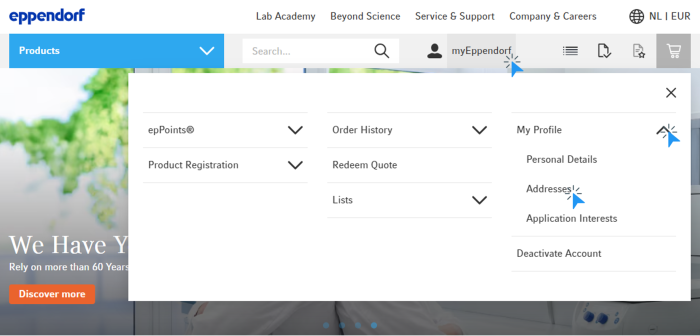
2. Click on “myEppendorf” in the top menu
3. Click on “My Profile“ and then on “Edit“
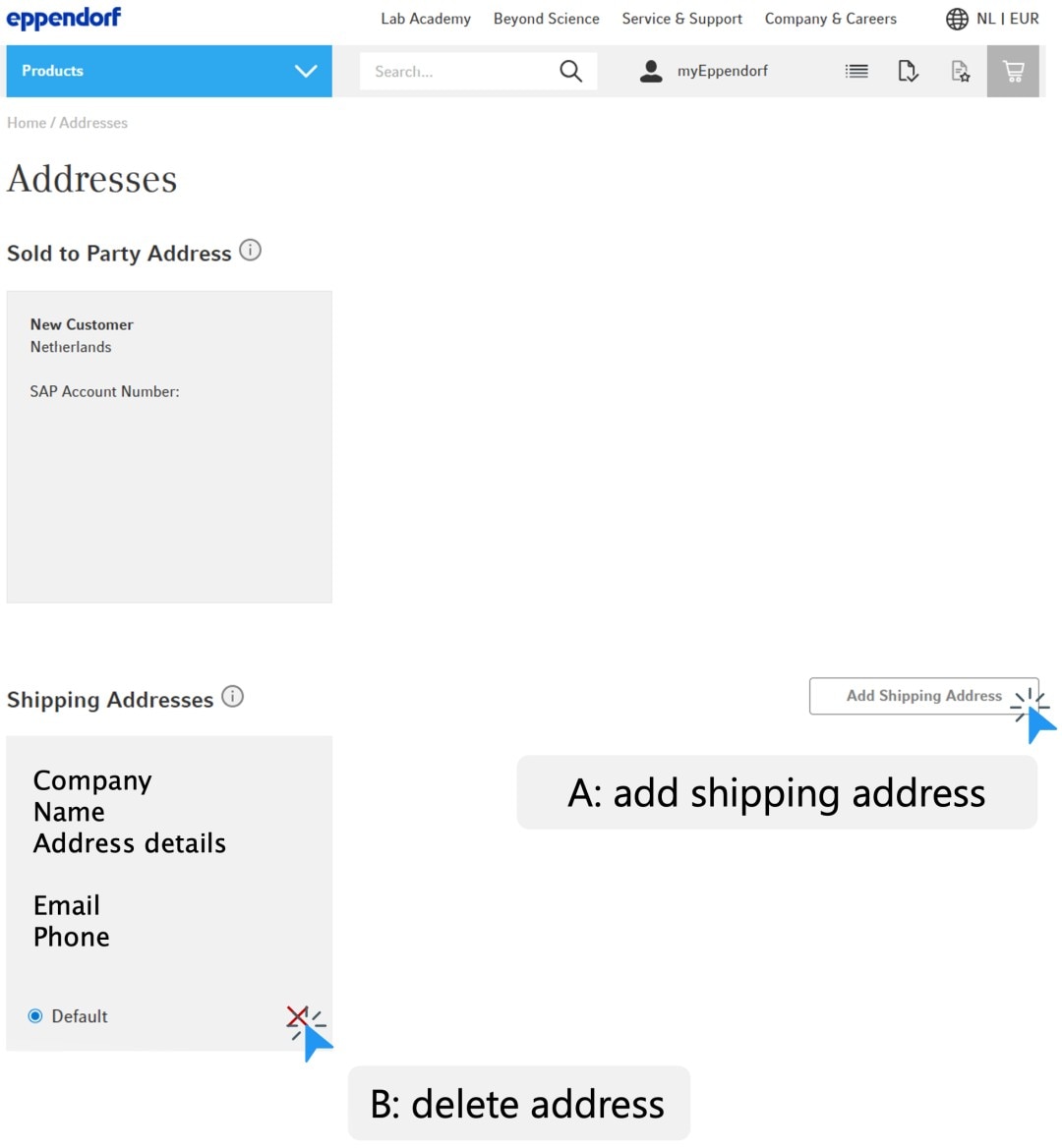
4. You will now see an overview of all your addresses
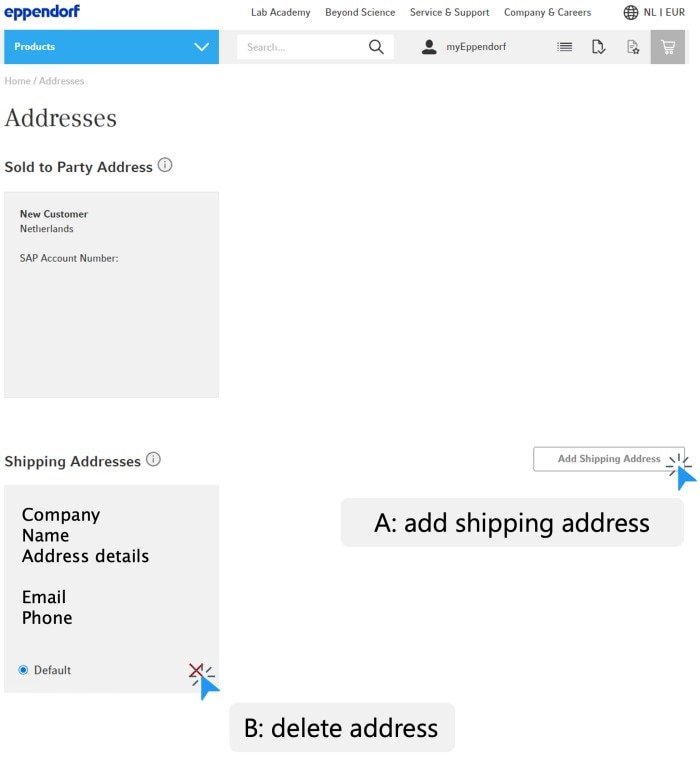
A. To add a new shipping address, click on “Add Shipping Address”
B. To delete an address, click the red “X” icon
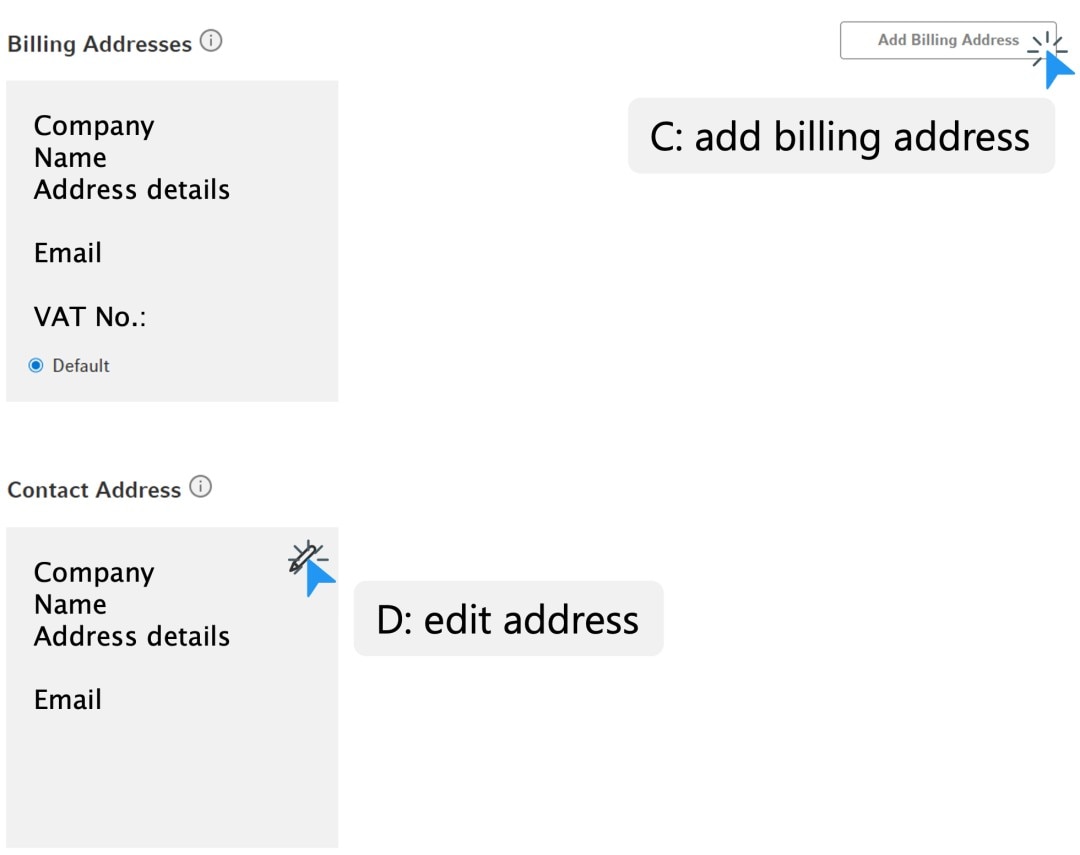
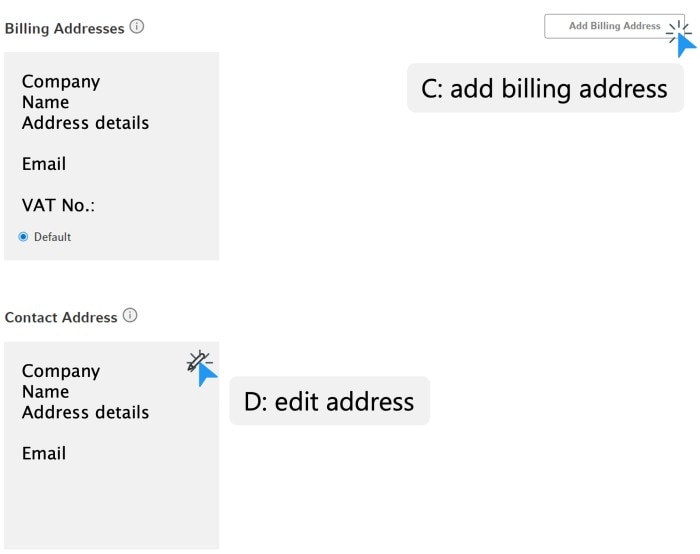
C. To add a new billing address, click on “Add Billing Address”
D. To delete an address, click the red “X” icon
2. Click on “myEppendorf” in the top menu
3. Click on “My Profile“ and then on “Edit“
4. You will now see an overview of all your addresses
A. To add a new shipping address, click on “Add Shipping Address”
B. To delete an address, click the red “X” icon
C. To add a new billing address, click on “Add Billing Address”
D. To delete an address, click the red “X” icon



* Feature may not be available in all countries