MENU
TW | TWD

TW | TWD
-
- All Pipettes, Dispensers & Automated Liquid Handlers
- All Micropipettes
- Mechanical Pipettes
- Electronic Pipettes
- Multi-Channel Pipettes
- Positive Displacement Pipettes & Dispensers
- Bottle-Top Dispensers
- Pipette Controllers
- Dispenser & Pipette Accessories
- Automated Pipetting
- Automation Consumables
- Automation Accessories
- Liquid Handler & Pipette Services
Sorry, we couldn't find anything on our website containing your search term.
You are about to leave this site.
Please be aware that your current cart is not saved yet and cannot be restored on the new site nor when you come back. If you want to save your cart please login in into your account.
Sorry, we couldn't find anything on our website containing your search term.
- Service & Support
- Ordering
- Website User Guide
- Website User Guide - Ordering
Website User Guide - Ordering

Add articles to cart
Shopping cart
Complete order
Ordering confirmation
1. Add Articles to the Shopping Cart
1. Log in to your account*
2. Enter the “Products“ via the blue section in the top menu, via the category carousel or use the search functionality
3. Browse through the product portfolio and add articles to the shopping cart
4. A pop-up will show all the items that you have added to your cart. With a single click, you can continue shopping or visit the shopping cart
2. Enter the “Products“ via the blue section in the top menu, via the category carousel or use the search functionality
3. Browse through the product portfolio and add articles to the shopping cart
4. A pop-up will show all the items that you have added to your cart. With a single click, you can continue shopping or visit the shopping cart
*PLEASE NOTE:
To access your Customer Specific Price (CSP), please make sure you are logged in.
To access your Customer Specific Price (CSP), please make sure you are logged in.


Videos not loading, because cookies have been rejected. Change your

2. Shopping Cart
1. Click the cart icon in the top men
2. Click “Go to Cart“
3. You`ll see an overview of your shopping cart and have some options
A. To create a new list, click the “Create list”
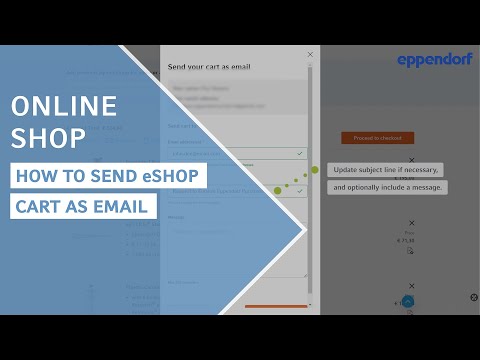
B. To send your current card via email, click “Send cart as email“
C. To clear the entire shopping cart, click “Clear Cart“
D. To quickly complete your purchase, click “Express Checkout”
E. To adjust quantity (the total price will update automatically), cllick the icon “+” or “-”
F. To be able to use your saved list again at a later date, click “Add to list“
G. To continue with your purchase, click “Proceed to checkout”
H. If you have a promotion code*, enter it here and click “Apply“
*Learn more about Promotion codes
2. Click “Go to Cart“
3. You`ll see an overview of your shopping cart and have some options
A. To create a new list, click the “Create list”
B. To send your current card via email, click “Send cart as email“
C. To clear the entire shopping cart, click “Clear Cart“
D. To quickly complete your purchase, click “Express Checkout”
E. To adjust quantity (the total price will update automatically), cllick the icon “+” or “-”
F. To be able to use your saved list again at a later date, click “Add to list“
G. To continue with your purchase, click “Proceed to checkout”
H. If you have a promotion code*, enter it here and click “Apply“
*Learn more about Promotion codes


Videos not loading, because cookies have been rejected. Change your
3. Complete an Order Online
1. You can follow the checkout process in five easy steps, or use the “Express Checkout” feature to save time (see chapter “Shopping Cart” above)
2. Click on “Next Step” to proceed through each step
3. Tick the mandatory boxes and click on “Place Order” to complete your order
2. Click on “Next Step” to proceed through each step
3. Tick the mandatory boxes and click on “Place Order” to complete your order
OUR TIP:
You can change your current shipping/billing address or create a new shipping/billing address during the checkout process
You can change your current shipping/billing address or create a new shipping/billing address during the checkout process


4. Ordering Confirmation
1. After submitting your order, you will see an order confirmation with your order number
2. You will also receive a confirmation via email with all order details
2. You will also receive a confirmation via email with all order details





*Feature may not be available in all countries